Guide
How to track an expense and bill it back to a client
The Grab to a client site, the extra design seat, the coworking day you only booked for one meeting. These are easy to spend and easy to forget, and forgetting them is a pay cut. This guide covers logging an expense once so it turns up on the right invoice by itself.
For freelancers who pass costs on to clients · 5 minute read · Last updated
Billable, or just yours
Takda splits expenses by one question: is there a client who should pay this back. An expense with a primary client is reimbursable, and will be offered to that client's next invoice. An expense with no client is a cost of doing business, and stays in your reports for your own records and your tax reserve.
Both are worth logging. Only one of them gets billed.
Log the expense
Open My Expenses and choose Add expense
Fill in the date, a description your client would recognise, and the amount. The description is what appears on their invoice, so a line naming the client site reads better than one that just says Transport.
Currency sits next to the amount. Log the expense in the currency you actually paid in, and Takda handles the rest.
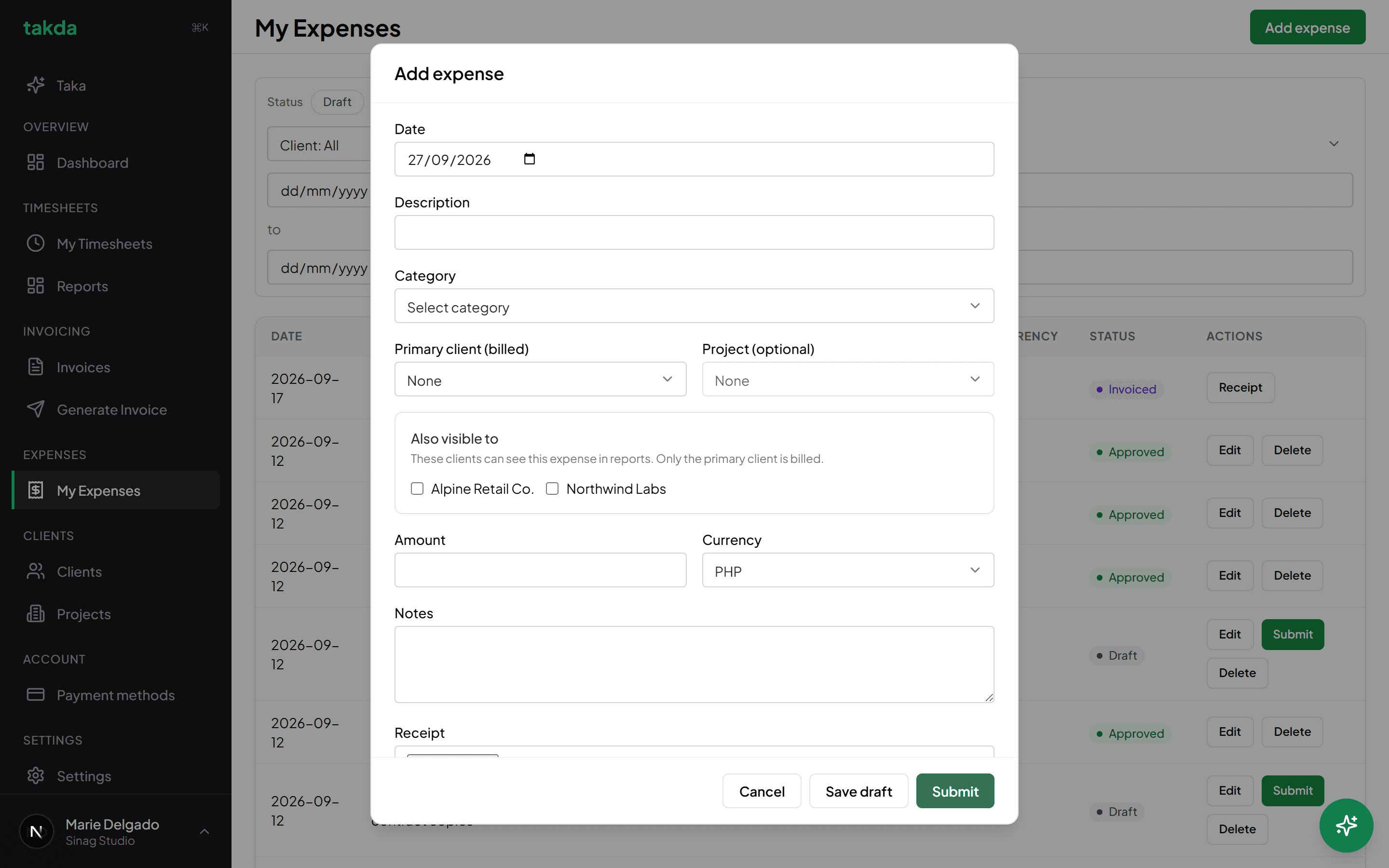
Primary client is the field that decides whether this cost ever reaches an invoice. Attach the receipt while you still have it
The receipt stays attached to the expense, so when a client queries a line six weeks later the proof is one click away rather than somewhere in your phone.
It matters again at tax time, where a claimed cost with no receipt is a cost you cannot defend.
Save a draft, or submit it
Save draft keeps it editable and out of everything else. Submit sends it for approval, and approval is what makes it billable.
Only approved expenses are offered to an invoice, for the same reason only approved hours are: a half-finished entry should never reach a client.
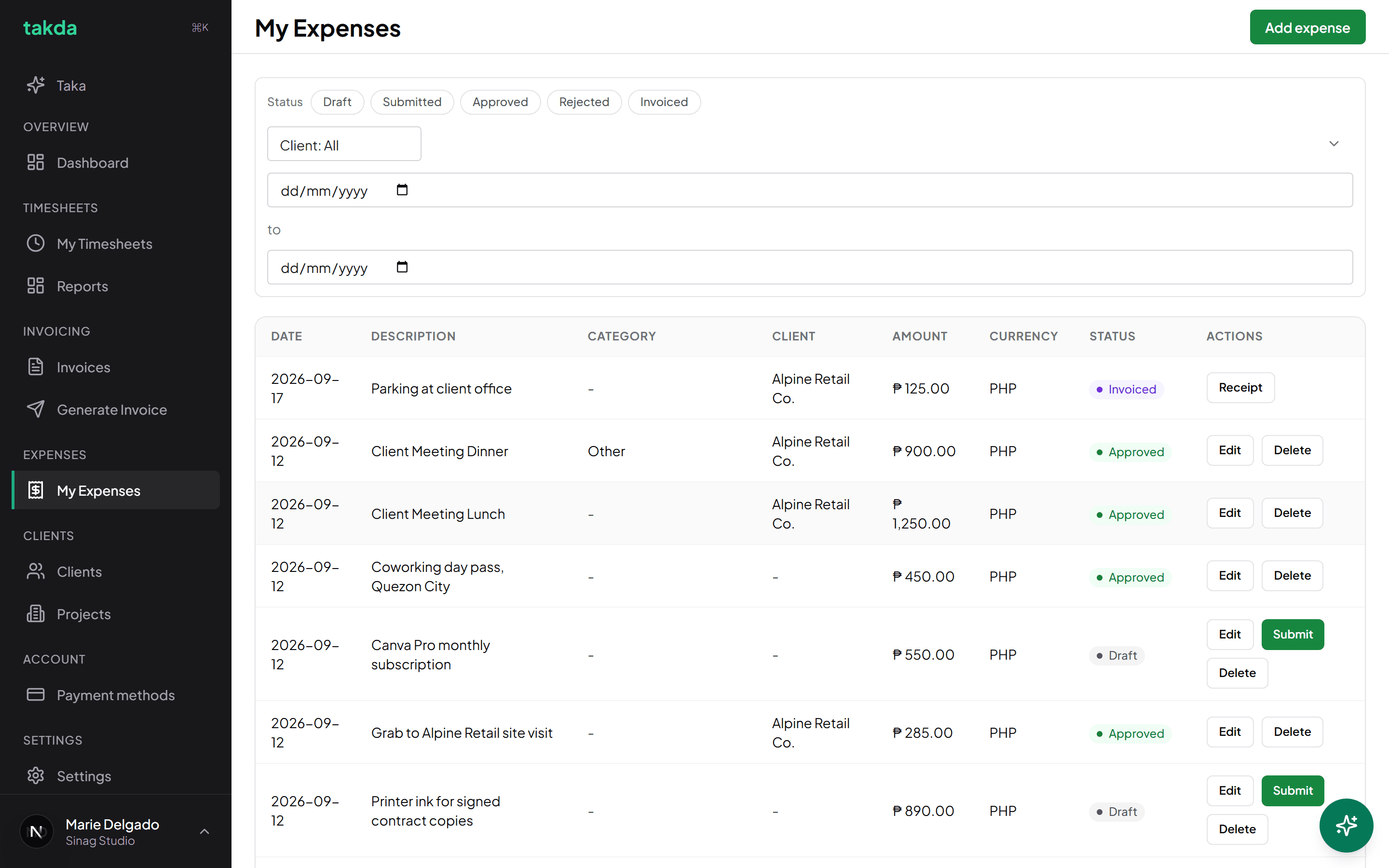
Costs with a client will be offered to that client's next invoice. Costs without one stay yours.
Get it onto the invoice
There is no separate step for this. The next invoice you generate for that client picks it up.
Generate the client's invoice as usual
In the Items step, approved expenses for that client appear in their own Reimbursable expenses section underneath the time entries, and they are editable like any other line.
Once the invoice is generated the expense flips to invoiced, which is what stops it being offered again on the next one.
What each expense status means
| Status | What it means | Can it be billed? |
|---|---|---|
| Draft | Saved, but not sent for approval. | No. Submit it first. |
| Submitted | Waiting on approval. | Not until it is approved. |
| Approved | Cleared and ready. | Yes, on the next invoice for that client. |
| Rejected | Sent back. Edit it and submit again. | No. |
| Invoiced | Already billed on an invoice. | Done. It will not appear twice. |
Common questions
- Why is my expense not showing up on the invoice?
- Check three things: it has a primary client set, its status is approved rather than draft or submitted, and its currency matches the invoice. An expense in pesos will not appear on a dollar invoice for the same client.
- Can I log a cost that no client pays for?
- Yes, and you should. Leave the primary client empty. It will never be billed, but it still counts as a cost in your reports and reduces the taxable income behind your tax reserve.
- Do I have to attach a receipt?
- Takda does not force one, but attach it anyway. It is the difference between answering a client query in seconds and searching your phone, and it is what makes a claimed cost defensible later.
- Can two clients share one cost?
- Set one as the primary client, who gets billed, and add the other under Also visible to. The second client sees it in their reports without paying for it, so nobody is charged twice for the same receipt.
Try it on your own work
The free plan covers the whole loop in this guide. No card, and nothing here needs a paid feature.