Guide
How to run a team: approvals and permissions
Once somebody else logs hours that you invoice, two questions matter: who is allowed to see what, and who checks the work before a client is billed for it. Takda answers both with individual permissions rather than fixed job titles, because real small agencies never fit the titles.
For agencies and anyone billing for other people's hours · 6 minute read · Last updated
Permissions, not job titles
Access is granted as individual permissions per person, not as one role that decides everything. Role templates exist as a convenient starting bundle, but they are a shortcut for granting, never the thing that is actually checked.
This matters because small teams are full of people who do not fit a title. The designer who also chases invoices, the senior contractor who approves timesheets but should never see plan billing. A fixed role forces you to over-grant, and over-granting is how someone sees a payroll figure they should not have.
Add someone and grant what they need
Send the invite
Invite by email with a starting role. The invite stays pending until they accept, and can be revoked before then.
The starting role is a bundle of permissions, not a lock. Everything is adjustable per person afterwards.
Tune the permissions per person
The members list shows each person and how many permissions they hold. Edit opens the individual grants.
Grant the narrowest set that lets someone do their job. Viewing team timesheets, approving them, generating invoices, and seeing financial totals are all separate, so a timesheet approver does not have to become an administrator to approve a timesheet.
Changes apply immediately, and they are enforced at the database rather than by hiding buttons. Someone who should not generate invoices cannot do it by finding another route.
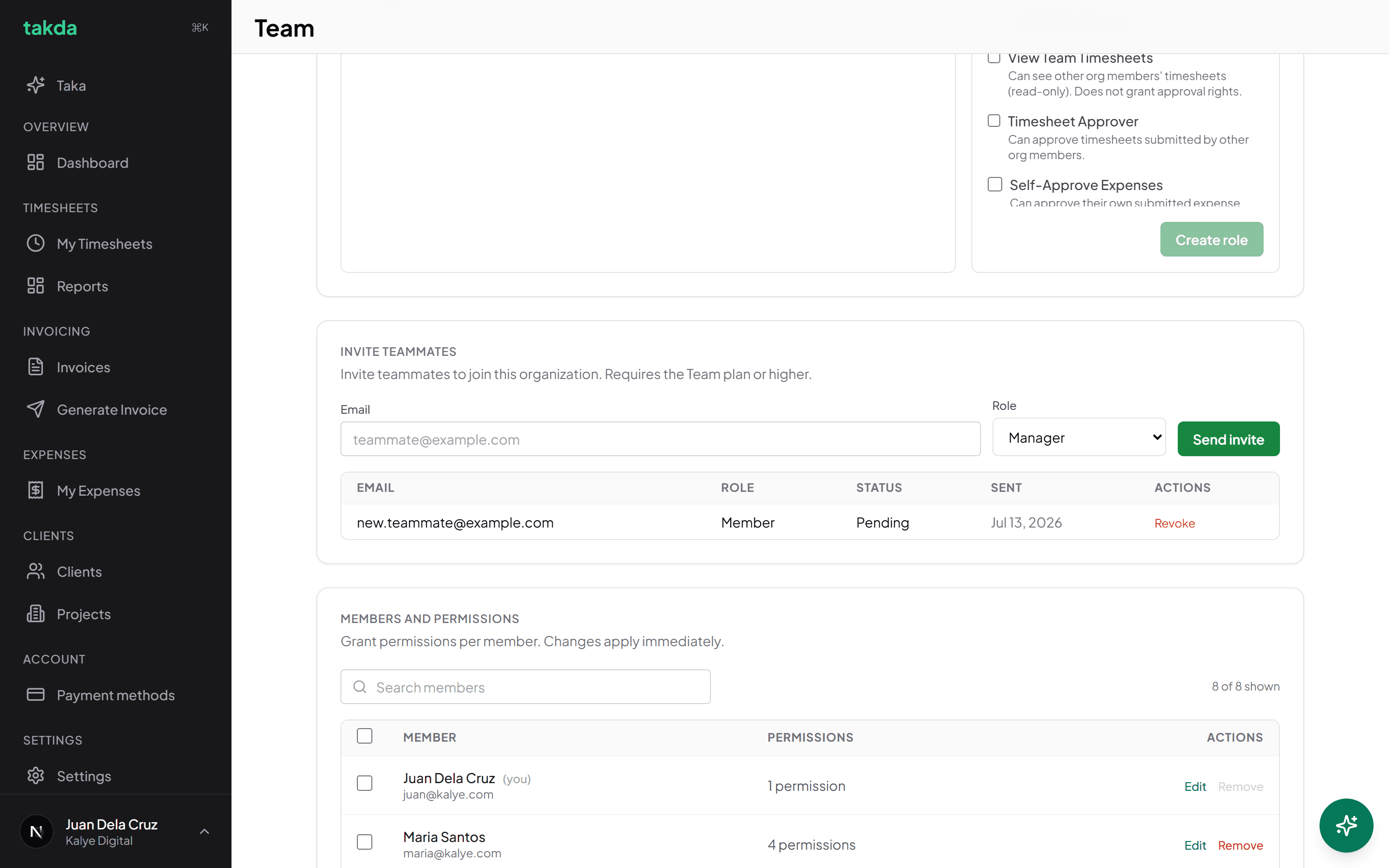
Permissions are counted per person. Two people with the same job title can hold different grants.
Review and approve the work
Open the member and read their weeks
Each member has a page listing their recent submitted work by client and week, with hours and status. Entries are read only here, because an approver's job is to check the work rather than to quietly edit it.
Expand a week to see the daily breakdown and any evidence attached to it. Evidence is why an approver is approving a number with context instead of taking it on trust.
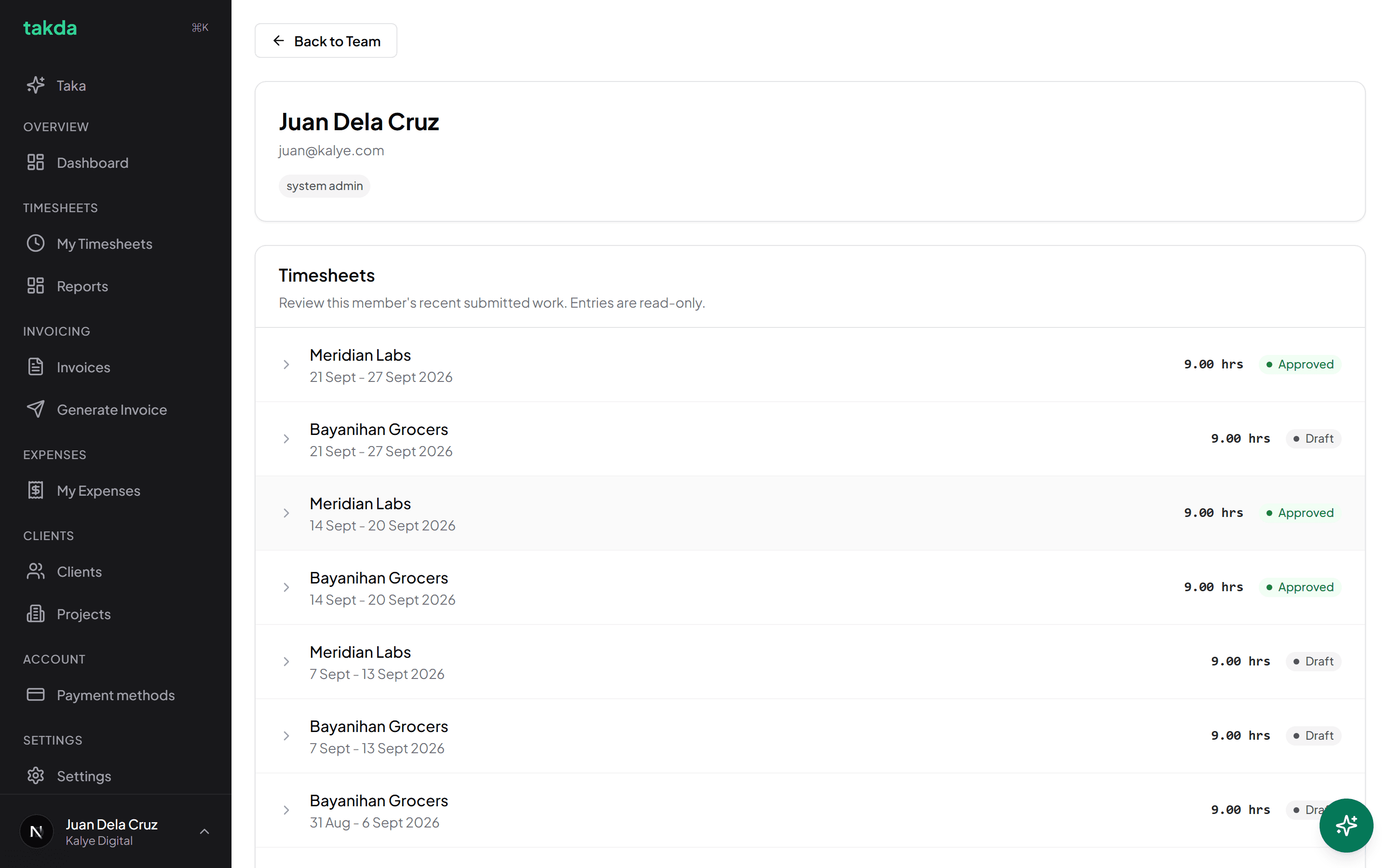
A member's recent work, read only, with each week's status next to it. Approve, or send it back
Approving releases the week to be invoiced. Rejecting returns it to the person to correct and resubmit, which is the right move for a week that is genuinely wrong rather than editing it yourself and leaving them unaware.
Nobody approves their own work. The control is not offered on your own timesheets, whatever permissions you hold.
Common setups
| Person | Grant them | Keep from them |
|---|---|---|
| Contractor who only logs hours | Their own timesheets and expenses | Other people's hours, invoicing, financial totals |
| Project lead who signs off work | View and approve team timesheets | Invoice generation, plan and billing |
| Person who does the billing | Invoice generation and sending, client config | Team permissions, plan and billing |
| Co-owner | System admin | Nothing, which is why it should be a short list |
Common questions
- Can someone approve their own timesheet?
- No. The approval control is never offered on your own work, whatever permissions you hold. On a solo account there is nobody else, so the week is approved by you as the owner of it, which is a different path.
- What is the difference between a role and a permission?
- A permission is the thing actually checked when a request is made. A role is a named bundle used to grant several at once. Changing what a role contains does not retroactively change what people already hold, because the grants are theirs.
- Can I stop someone seeing what the team earns?
- Yes. Viewing timesheets and viewing financial totals are separate permissions, so an approver can check hours without seeing revenue.
- What happens to someone's work when I remove them?
- Their logged hours and the invoices built from them stay, because removing a person must never quietly change what a client was billed. They simply lose access.
- Do I need approvals if I work alone?
- The step still exists, and on a solo account it is one click. It is what stops a half-finished week reaching a client, which is worth one click.
Try it on your own work
The free plan covers the whole loop in this guide. No card, and nothing here needs a paid feature.